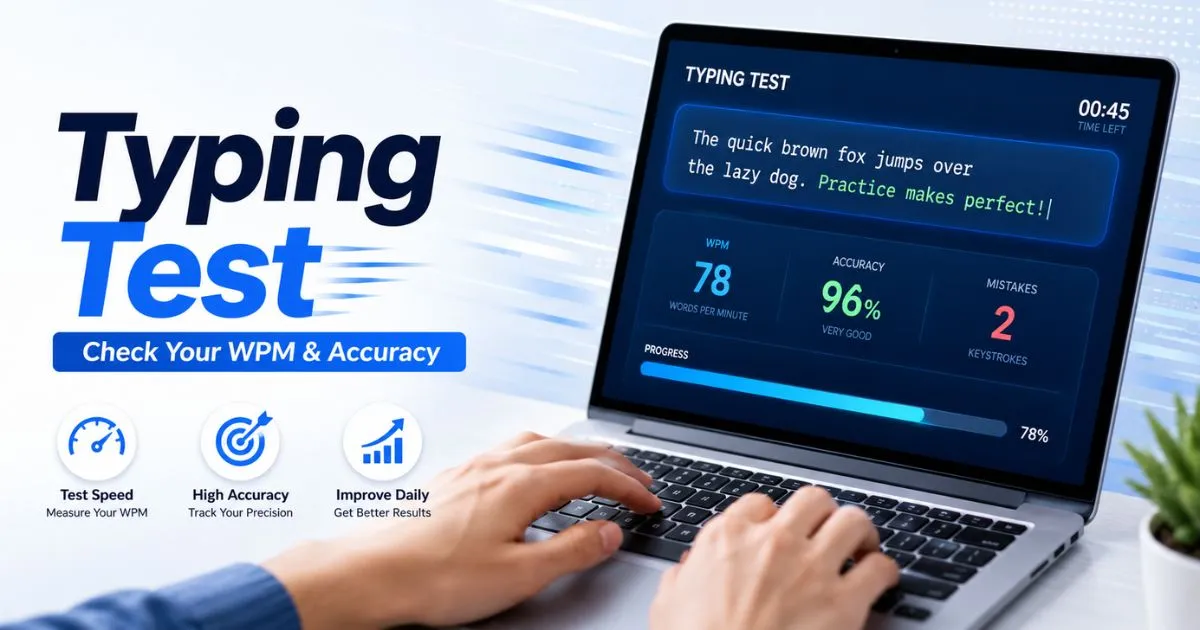
Typing Test
Measure your typing speed, accuracy, raw WPM, CPM, errors, and progress in real time. Choose your test duration, difficulty level, quote mode, numbers, punctuation, or paste your own custom text.
Detailed Results
ReadyFinish a test to unlock your detailed score.
Recent Scores
Last 5Your last 5 results will appear here after finishing a test.
Typing Test – Master Your Speed & Accuracy | Complete Guide 2025
⌨ TypingTest Complete Guide · 2025
⚡ Speed · Accuracy · Consistency
Type
Faster.
Type Better.
The ultimate guide to using a Typing Test tool — understand your WPM, crush your accuracy, and build the habit that separates average from elite. Start Reading →
140
5 minRead time
100%Free tool
∞Practice modes
What is a Typing Test
Your keyboard skills, finally measured.
A typing test is a real-time benchmark tool that measures how fast and how accurately you type. It presents you with a passage of text and tracks every keystroke — timing you, flagging errors, and computing your Words Per Minute (WPM) and accuracy percentage when time is up.
Used by students, developers, writers, assistants, and data-entry professionals worldwide, a typing test turns a vague sense of “I’m pretty fast” into a precise number you can actually improve. Whether you’re chasing a job requirement, competing on global leaderboards, or simply trying to be more productive, this tool gives you the data to get there.
The quick brown fox jumps over the lazy dog near the river bank.
72WPM
98%Accuracy
0:32Time left
How to Use It
From zero to results in under 60 seconds.
STEP 01
🖥️
Open the tool
Navigate to the Typing Test page in your browser — no download, no account required. The interface loads instantly and is ready to go.
STEP 02
⚙️
Choose your settings
Select a test duration (15s, 30s, 1 min, or 5 min), a language, and a difficulty mode — from common words to technical jargon or quotes.
STEP 03
⌨️
Start typing
Click the text area and start typing the highlighted passage. The timer begins automatically on your first keystroke. Errors appear highlighted in red.
STEP 04
📊
Review your results
When the time ends, your full report appears: WPM, raw speed, accuracy %, error count, and a keystroke-by-keystroke breakdown.
STEP 05
🔁
Practice & improve
Hit retry to try again or switch modes. Track your progress over time with the built-in history chart and spot exactly where you slow down.
Understanding Your Score
Every number on your results page, explained.
WPM
Words Per Minute
The main metric. Calculated as (characters typed ÷ 5) ÷ minutes. The standard word length is 5 characters, making comparisons fair regardless of word choice.
RAW
Raw Speed
Your gross WPM before errors are subtracted. Useful to see your ceiling speed before accuracy is factored in.
ACC
Accuracy %
The ratio of correct keystrokes to total keystrokes. Aim for above 95% — most professional benchmarks require it.
ERR
Error Count
Total number of incorrect characters typed. Tracking this over sessions reveals which letter combinations trip you up consistently.
WPM Benchmarks — Where do you stand?
Beginner
< 30 WPM
Average
40–55 WPM
Above avg.
60–80 WPM
Professional
80–100 WPM
Expert
100–130 WPM
Elite / Top 1%
140+ WPM
Pro Tips
8 strategies that actually move the needle.
01
Touch-type, don’t look
The single biggest unlock. Train yourself to keep eyes on the screen, not the keyboard. Use the home row (ASDF / JKL;) as your anchor.
02
Accuracy first, speed second
Chasing speed with sloppy accuracy locks in bad habits. Hit 95%+ accuracy consistently before pushing WPM. Speed follows naturally.
03
Daily 10-minute sessions
Consistency beats marathon sessions. 10 focused minutes daily produces faster gains than an hour once a week. Your muscle memory needs repetition, not intensity.
04
Target your problem keys
Use the error breakdown in your results to identify which characters you miss most. Deliberately practice words heavy in those letters.
05
Use the right test length
Short tests (15–30 s) measure burst speed. Long tests (2–5 min) reveal endurance and consistency. Train both to become a complete typist.
06
Adjust your posture
Wrists level with the keyboard, elbows at 90°, screen at eye level. Fatigue and wrist angle are silent WPM killers that practice alone won’t fix.
07
Practice with real-world text
Switch to code snippets, emails, or quote modes if your job involves specific writing styles. Domain-specific practice transfers more directly than generic passages.
08
Review the replay
Many typing tools offer a keystroke replay. Watch it — you’ll spot exactly where you paused, hesitated, or burst, giving you a micro-level practice target.
FAQ
Frequently asked questions.
How is WPM calculated exactly?
+
WPM is calculated using the formula: (total characters typed ÷ 5) ÷ minutes elapsed. Dividing by 5 normalizes all words to a standard length, making your score comparable regardless of whether you typed short words like “I” or long ones like “extraordinary.” Errors are subtracted from the final WPM in most tools, so raw WPM and net WPM often differ.
What is a good WPM score for a job application?
+
It depends on the role. General office work typically requires 40–60 WPM. Secretarial or administrative positions often ask for 60–80 WPM. Data-entry jobs may require 80+ with near-perfect accuracy. Legal or medical transcription roles sometimes demand 90–100+ WPM. Always check the specific job posting for requirements, and include your score on your CV if it exceeds the listed threshold.
Can I use a typing test on mobile?
+
Most typing test tools work in mobile browsers, but results on a touchscreen are not comparable to a physical keyboard. Mobile auto-correct, word prediction, and the absence of a physical key tactile response significantly inflate or deflate your real typing speed. Use a physical keyboard — ideally the one you use for work — to get an accurate, actionable score.
How long does it take to improve my WPM significantly?
+
With deliberate daily practice (10–20 min/day), most people see a meaningful improvement of 10–20 WPM within 4–6 weeks. Going from 40 to 60 WPM is achievable in about a month. Getting past 80–100 WPM requires proper touch-typing technique and several months of consistent training. The biggest single lever is learning or re-learning touch-typing if you currently hunt-and-peck.
Does the type of keyboard affect my score?
+
Yes — but less than most people expect. Keyboard type (membrane vs. mechanical vs. scissor-switch) influences comfort and error rate, but technique dominates speed. That said, many fast typists prefer low-actuation mechanical switches (e.g., Cherry MX Speed, Kailh Speed) because the reduced travel distance lets them type faster with less finger fatigue over long sessions.
Is there a difference between WPM and CPM?
+
CPM (Characters Per Minute) counts every single keystroke, including spaces and punctuation. WPM divides CPM by 5 to normalize to word units. A score of 300 CPM equals 60 WPM. Both measure the same underlying speed; WPM is simply more human-readable and is the standard used in professional settings.
Do I need to create an account to use a typing test?
+
No account is needed for a single test — you can open the tool and start typing immediately. However, creating a free account unlocks progress history, leaderboards, custom goals, and long-term stats, which are essential for tracking improvement over weeks and months. If you’re serious about getting better, it’s worth the 30-second signup.
What is the world record for typing speed?
+
The highest verified speeds on English text exceed 300 WPM in short burst tests, achieved by competitive typists on platforms like TypeRacer and Monkeytype. The widely cited record for a sustained, certified test belongs to Stella Pajunas who typed 216 WPM in 1946 on an IBM electric typewriter. Modern records on digital keyboards are tracked by platforms like TypeRacer and Keyhero, where elite users regularly post 180–220 WPM.
Should I use QWERTY or switch to DVORAK/Colemak?
+
If you’re already proficient on QWERTY, switching layouts rarely delivers the speed gains people hope for — you’ll spend 2–6 months re-learning before catching up to your current QWERTY speed. Colemak and Dvorak do place high-frequency letters on home-row keys, reducing finger travel, which can improve comfort and lower error rates over time. The switch is best suited for people just learning to touch-type, or those with repetitive strain concerns, not those chasing a quick WPM bump.
Ready to find out where you really stand?
Take your first typing test in under 60 seconds — no signup, no download, just you and your keyboard.Take the Test Now ⌨ © 2025 TypingTest · Complete Guide Speed · Accuracy · Progress